
How can I send a message about recurring volunteer opportunities?
Once you have created a recurring volunteer opportunity, you can message about that opportunity to the following:
- All of those associated with the opportunity (i.e. if the opportunity is in a classroom, all of the parents of the students in that classroom)
- All of those associated with the opportunity that have not yet volunteered
- All volunteers
- All previous volunteers
- All upcoming volunteers
You can provide a subject, and a body of the email.
The email will also list up to 10 of the upcoming volunteer opportunities that have not been filled, with a link to view all others.
Parents interested in volunteering for the opportunity can click on a button in the email and sign up.
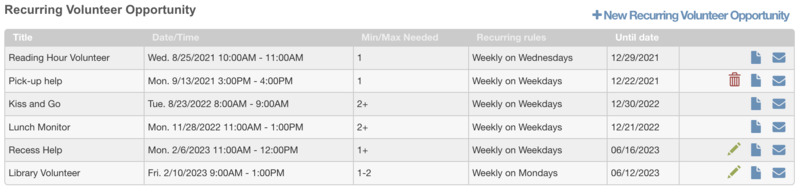
To get started, click on the envelope icon next to the recurring volunteer opportunity you want to promote.
Categories:
recurring volunteer opportunities
volunteering